


Scolia Home 2
COMPATIBLE WITH
SCOLIA HOME 2
It’s not just darts.
A face-to-face challenge.
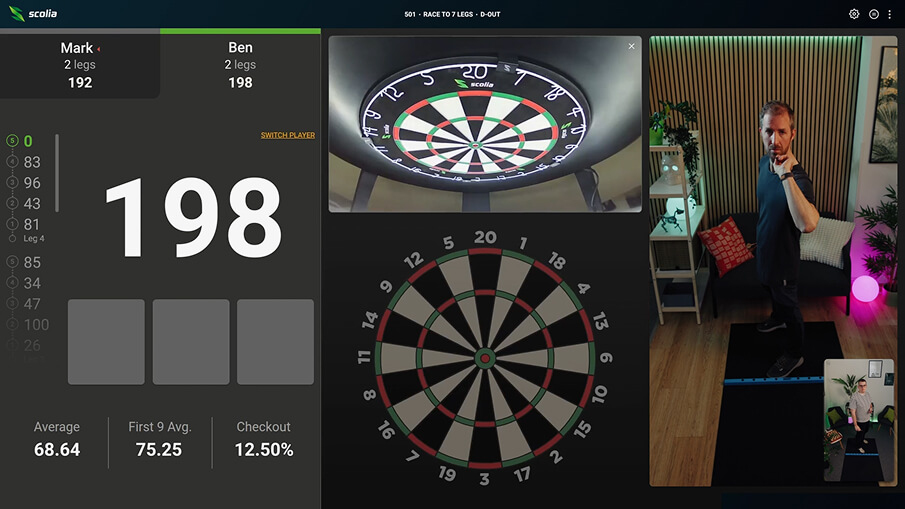
Fliq is a front-facing camera designed for the Scolia Home 2 system (and most upgraded Scolia Home systems). It lets you see both your opponent and yourself during the match.
With ultra-low latency streaming, Fliq brings the competition right into your room. Together with Scolia’s board cameras, Fliq delivers a playing experience unlike anything you’ve had on your Scolia before.
It’s not just darts.
A face-to-face challenge.
Fliq is a front-facing camera designed for the Scolia Home 2 system (and most upgraded Scolia Home systems). It lets you see both your opponent and yourself during the match.
With ultra-low latency streaming, Fliq brings the competition right into your room. Together with Scolia’s board cameras, Fliq delivers a playing experience unlike anything you’ve had on your Scolia before.
Transparency at online games
Fliq adds a new layer of trust and transparency to gameplay. It helps ensure that every match reflects genuine skill and engagement, creating a more authentic experience for all players. This upgrade strengthens the integrity of the competition while keeping the fun and energy of the game front and center.
Click. Plug. Game on!
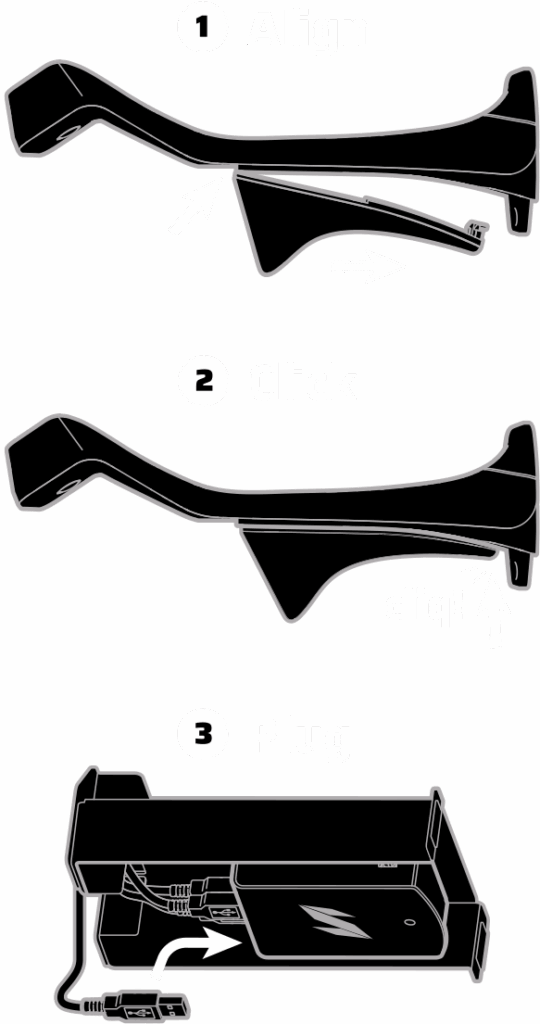
Set up the Fliq in seconds — it’s designed to fit perfectly onto the Home 2’s top camera leg.
Simply align the Fliq below the top leg, click the rear hook into place, and plug the Fliq’s cable into the processing unit’s fourth USB port.
Fliq only activates automatically when you start an online game, and stops streaming at the end of the game — ensuring your privacy at all times.
Click. Plug. Game on!
Set up the Fliq in seconds — it’s designed to fit perfectly onto the Home 2’s top camera leg.
Simply align the Fliq below the top leg, click the rear hook into place, and plug the Fliq’s cable into the processing unit’s fourth USB port.
Fliq only activates automatically when you start an online game, and stops streaming at the end of the game — ensuring your privacy at all times.
Is your Scolia Home system compatible with Fliq?
The Fliq camera is designed to attach to the top leg of the Scolia Home 2 system. This also makes it compatible with older Scolia Home systems that are using the legs from the Upgrade Kit. However, some of the earliest versions of the processing unit lack the necessary USB ports.
To check if the Fliq is compatible with your system, look for the sticker with the serial number on your Scolia Home packaging. Below the serial number, you’ll find your hardware version number.
- If it’s 2.2.0, 2.2.1, 2.3.0 or 2.3.1, your unit is compatible with the Fliq camera.
- If you are not sure about your hardware version, please find your serial number on the My Boards page in the Scolia app and enter it below:
Frequently asked questions
Fliq has a single camera facing the player in front of the dartboard. However, the top camera of your Home 2 system is being used for streaming a high resolution live view of your dartboard to create a complete interactive experience.
Primarily, Fliq is designed to physically attach to the top leg of the Scolia Home 2.
Scolia Home — With the addition of the Upgrade Kit, almost all (98%) Home systems will be compatible with Fliq. Please check your unit’s compatibility through this form.
Scolia Pro — We are actively working on a solution that will allow Pro users to use the Fliq camera. Thank you for your patience — we’re on it.
In the meantime, you’re welcome to use the Video Chat feature on your own device anytime — it’s completely free.
Yes. You can check your camera view when setting up the Fliq and before your game starts. You’ll also see a picture-in-picture view of yourself in the corner of the screen during gameplay.
No, the Fliq camera does not include a microphone. To talk to your opponent, you can start a Video Chat with your own device (phone, tablet, webcam, etc.). Alternatively, you can use the Instant Messages function to send your opponent a text message.
Only with the consent of your opponent. Technically, you can stream to Twitch and other platforms using third-party software like OBS. If your Fliq Live Stream is activated, your Fliq video will automatically appear on your game screen — no additional setup is required.
We strongly believe it does. Streaming provides visual evidence in cases of potential violations of the Code of Conduct. If you encounter suspicious behavior, please send the details of the specific game to info@scoliadarts.com so our team can review the footage. Confirmed cheating will result in suspensions or bans.
No, you can attach and use the Fliq camera with or without the side covers.
Yes, you can. However, for the best streaming quality, we recommend using ceiling or ambient light. Low light may result in a lower quality video stream.
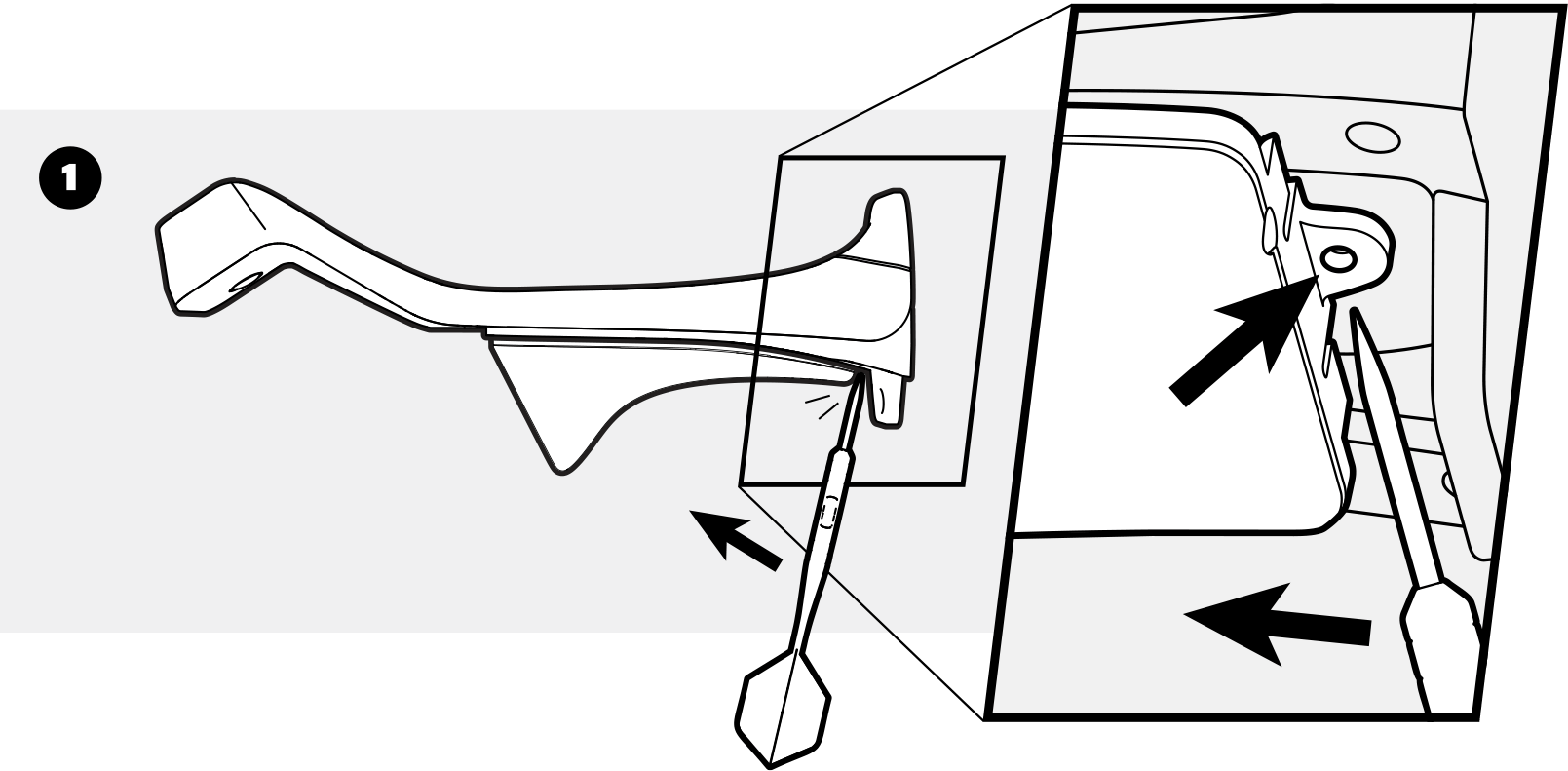
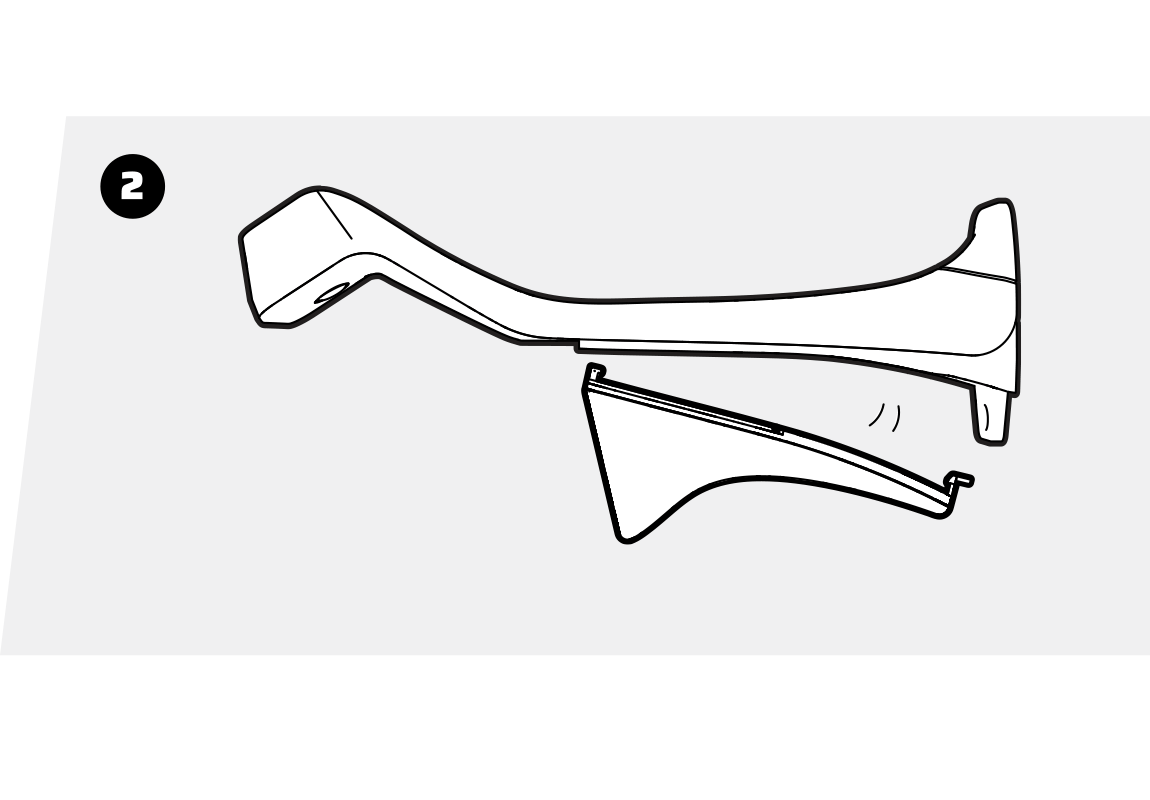
Remove your darts surround first. Next, locate the rear hook that secures the camera to the Home 2’s leg, insert a dart into it, and carefully pull forward. This action releases the lock, allowing the Fliq to detach.
No. All features are included out of the box — there are no subscription fees.
The green status LED will be on. For added privacy assurance, Fliq activates automatically only during online games.