
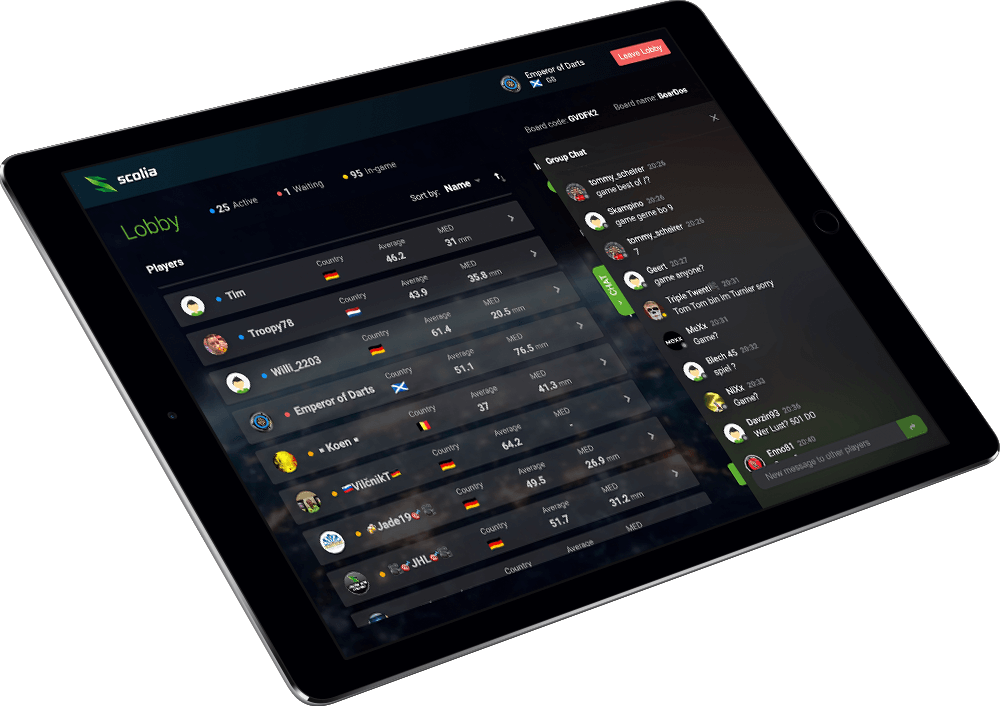
To play darts online from home, you need a dartboard, an internet-connected device, an online darts platform, and a way to record scores. A darts scoring app lets you enter visits manually, a webcam adds a live board view, and a dedicated autoscoring system detects where steel-tip darts land.
Choose according to how much manual input you accept and whether you want friend matches, public opponents or online tournaments. Features and match requirements vary by platform.
An “online dartboard” can therefore mean several things. In many setups, the board itself is an ordinary steel-tip bristle dartboard, while the app, webcam or autoscoring system provides the online connection.
Who is online darts for?
Online darts gives home players access to real opponents when local games are difficult to arrange. It can suit beginners, regular social players and experienced competitors. You do not need the most advanced setup to start.
What equipment do you need?
- A safely mounted dartboard, clear throwing area and correctly measured throw line
- Even board lighting
- A stable internet connection
- A phone, tablet or computer supported by your chosen platform
- A method for manual, camera-assisted or automatic score entry
- A webcam or phone mount if a live board view is expected
- An account with the game settings agreed before play
A webcam is not required on every online darts platform, although some communities and match formats expect a live board view. If you use one, test the camera, sound and scoring with a short practice leg before inviting an opponent.
Online darts setup comparison
| Setup | Score entry | Best for | Main consideration |
|---|---|---|---|
| Scoring app or online scorer | Manual after each visit | A quick, low-cost start | Manual input remains |
| Webcam darts | Usually manual, with live board video | Social games and visual confirmation | Needs a stable camera view |
| Phone-camera scoring | A phone assists with detection | Trying lighter automation | Depends on placement, lighting and software |
| Dedicated autoscoring | Fixed cameras detect scores | Smooth steel-tip matches, stats and regular online play | Higher cost and a permanent setup |
A scoring app may be enough for occasional games. A fixed webcam or autoscoring setup becomes more useful when phone input, camera adjustment or limited match data starts interrupting play.
How does an online darts match work?
Choose a game such as 501, then invite a friend or join an available opponent. Each player throws at their own board, while scores are entered manually or sent to the platform by the scoring system.
Depending on the service, you may have live video, public lobbies, opponent matching, statistics or online darts tournaments, and many platforms let you play darts online with friends. Confirm the score before removing your darts. If the wrong score appears, pause and use the platform’s correction process before continuing; the controls and who can make corrections vary by software.
Fair play and online darts etiquette
A clear routine helps both players follow the match and handle mistakes calmly.
- Agree on the format and camera expectations before starting
- Keep the board visible when video is part of the match
- Wait for the score to register before removing darts
- Explain and correct mistakes promptly
- Mention connection problems instead of disappearing mid-leg
- Keep a steady, considerate pace
Video and automatic scoring can add transparency, but neither guarantees fair play. Honest corrections and clear communication still matter.
Which setup should you choose?
Start with a darts scoring app if you want a quick, low-cost option and do not mind entering each visit. Add a webcam when a shared board view matters.
Phone-camera scoring offers a lighter route into automation. Dedicated camera-based autoscoring suits players who want hands-free scoring, a permanent steel-tip setup, automatically collected statistics and smoother online matches.
Where Scolia fits
Scolia is a dedicated camera-based automatic scorekeeping system for steel-tip darts. It detects dart positions around a compatible bristle board and updates the score without manual entry.
The Scolia web app supports online matches with friends or other users, plus a lobby for finding opponents. It also offers video chat or board streaming, tournaments, statistics and score correction. Exact features and setup requirements may depend on the system or current platform, so check the latest information for the setup you are considering.
Explore Scolia’s online darts features to see how online play, tournaments and statistics work together.
Start with the experience you want
You can begin with a simple app and honest score entry. Cameras and autoscoring become more valuable when you want a more visible, social and uninterrupted match experience from home.